Improve Your Search Engine Ranking with Google My Business
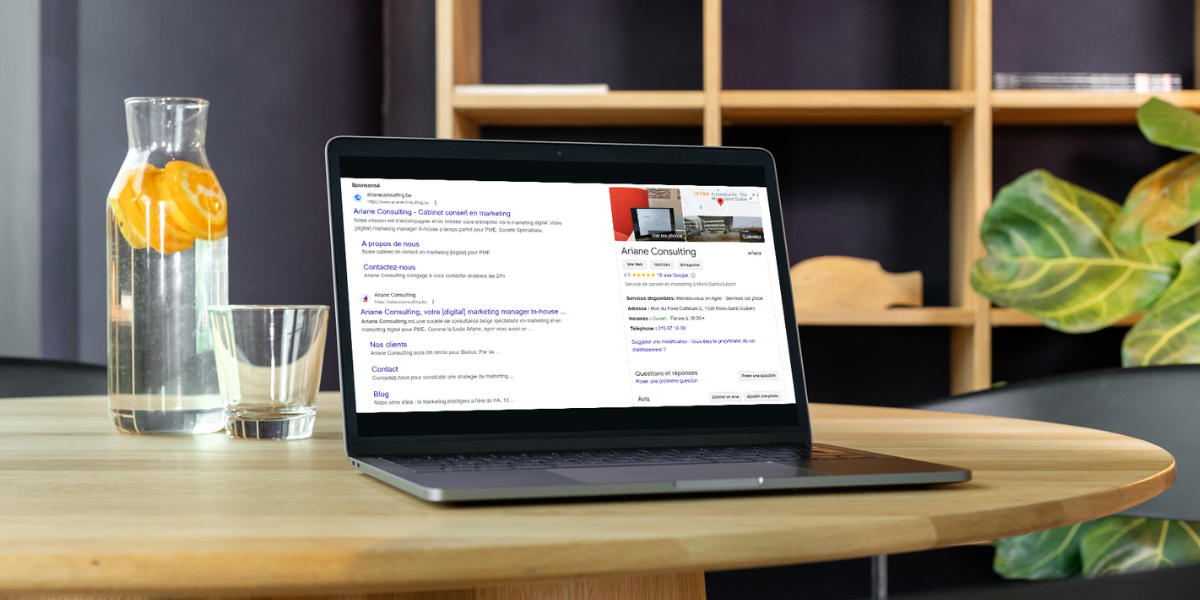
When conducting various searches on Google, you’ve probably noticed a sidebar on the right displaying information about the company or service provider you’re looking for. It’s a sort of information card that includes a few photos, a phone number, a website, the company’s location on Google, and any recommendations.
Did you know that YOUR company’s contact information can also appear in the same way online? It’s the perfect way to catch the attention of potential customers when they’re searching and best of all, it’s free! Pretty interesting, isn’t it?
That's what makes Google My Business so great. Shall we take a closer look at this tool together????
1. What is Google My Business?
Google My Business is a free tool offered by Google that’s ideal for growing your business. This SEO tool allows you to create a profile for your business by providing various details, such as a description, your hours of operation, a link to your website, your phone number, and more.
Available on the search engine, this profile page allows you to interact with your prospects or customers.
2. Why should you create a Google My Business account?
Sharing information through a Google My Business listing is an ideal way to attract potential customers by showcasing your business on Google, keep your existing customers satisfied by answering their questions, gather feedback from reviews left by Google users, appear on Google Maps, and increase your visibility.
3. How much visibility does Google My Business provide me?
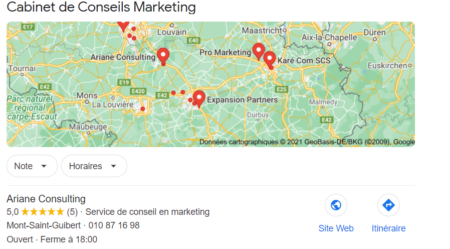
Creating a Google My Business account gives you three opportunities to appear online on:
- The Google search page
- The Google Local Pack, located between Google's paid ads and before the organic search results
- Google Maps
4. How do I create a Google My Business account?
Creating a Google My Business account is very easy. Just go to this link. Google will guide you step by step through filling out the business listing form. Once you’ve completed all the steps, you’ll receive an activation code that you’ll need to verify.
5. How do I manage my Google My Business account?
Creating a Google My Business account is very quick. However, once you’ve decided to create your business listing, keep in mind that you’ll need to spend a little time on it. We recommend that you maintain it and check back on it regularly.
Here are a few tips we'd like to share with you
- Your audience has the option to leave reviews. We strongly recommend that you respond to these reviews, especially if they are negative.
- Make sure the information on your Google My Business listing matches the information on your website.
- Offer high-quality photos of your interior and exterior. These will make your audience want to work with you. So it's worth taking care of your image. ????
- Boost your account by regularly posting new content, promotional offers, or updates about your participation in various events.
If you'd like to learn more about Google My Business, be sure to contact us.